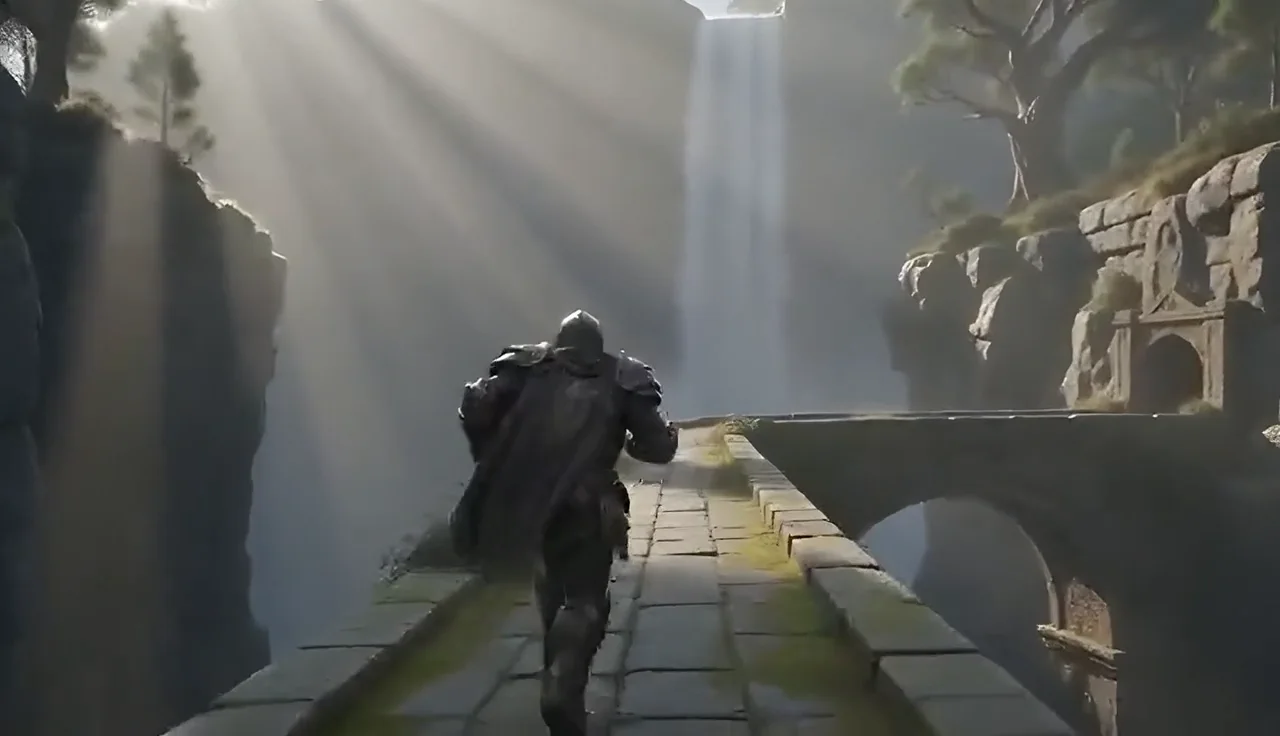
This game footage upscaler takes a gameplay capture and returns it at 1080p, 2K or 4K, using a detail model that rebuilds textures, foliage and 3D shading rather than smoothing them away. Length, frame rate and sound stay as recorded, so the result drops straight back into your edit.
Last updated:
OriginalUpscaled
Real result: a soft 640×368 clip run once through Game & 3D at 1080p. Drag to compare.
1Your video
2How to upscale it
Detail model for textures, foliage and 3D shading. Dearer per second; clips up to 30 s.
Upload a clip to see its exact price.
Your 210 free sign-up credits cover one 10-second clip at 1080p.
Real results from this studio
OriginalUpscaled
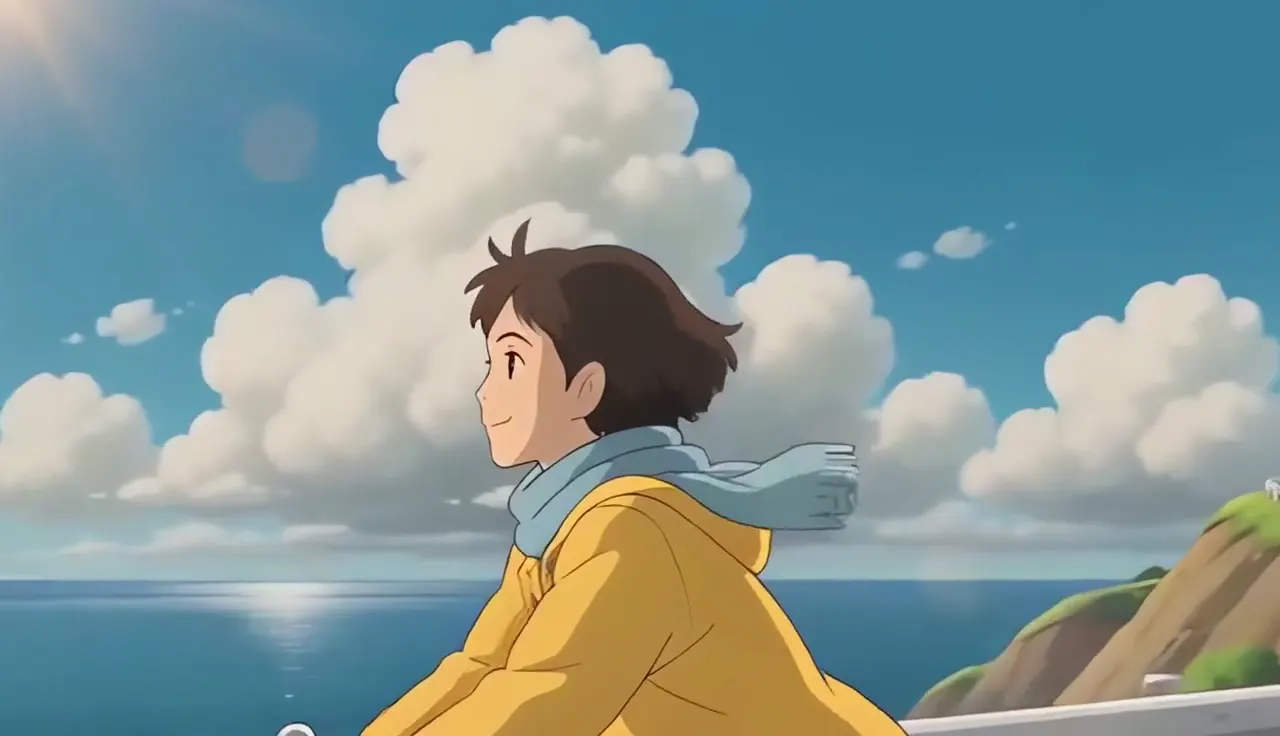
Anime, cartoon & screen · 4K
OriginalUpscaled
Anime, cartoon & screen · 2K
Good for
Clips captured at 720p to save disk space or keep the game smooth
Highlights from older consoles or handhelds recorded at low resolution
Trailer shots and B-roll for a channel that edits on a 4K timeline
Cutscenes and 3D renders with fine surface detail
How it works
1
Upload your capture
MP4, MOV, MKV, WebM or AVI up to 50 MB. Trim to the moment you need first; the shorter the clip, the lower the price.
2
Pick "Game & 3D" and a size
Choose 1080p, 2K or 4K. The studio reads the frame size, frame rate and length from the file and shows the exact price.
3
Upscale and drop it into your edit
You get an MP4 (H.264) with the same length, frame rate and audio as your capture, ready to replace the original on the timeline.
Why game footage needs a heavier model
Game scenes are full of the detail a line-art model is built to flatten: bark, gravel, armour plating, grass that moves, lighting that falls off across a surface. The "Game & 3D" type runs a second licensed video upscaling model tuned for that kind of texture. It costs more per second than the anime type because it does more work on every frame, and its clips can be up to 30 s for a 720p 30 fps source.
When to pick the anime type instead
Some games look drawn: cel-shaded titles, visual novels, 2D fighters with hand-drawn sprites, menus and HUD-heavy strategy screens. For those, "Anime, cartoon & screen" keeps outlines and flat colours cleaner and costs less per second. If a scene mixes both, such as a 3D world with a big text overlay, run a short test on each type and keep the one that reads better. There is no pixel-art mode, so very blocky retro pixel games are not a good fit for either.
Capture settings that help
Record at the highest bitrate your capture tool allows; compression blocks in fast motion are the hardest thing to recover. A 60 fps capture keeps its 60 fps, but it is a heavier clip, so it costs proportionally more per second and the length limit is shorter. If the clip is for a 30 fps edit anyway, export it at 30 fps before uploading. Keep the native aspect ratio; black bars added in an editor are upscaled and billed like the rest of the frame.
What it costs
Credits per second of clip, rounded up, with a 10-second minimum: 51 credits a second at 1080p, 52 at 2K and 58 at 4K for a 720p 30 fps source. A 10-second highlight at 1080p is 510 credits. Larger or faster captures cost proportionally more, and the studio shows the measured price before you start. Failed jobs refund automatically.
Specs
Upload
MP4, MOV, MKV, WebM or AVI, up to 50 MB, at least 96 px
Model
Game & 3D
Length
Up to 30 s at 720p 30 fps, shorter for heavier clips
Download
MP4 at 1080p, 2K or 4K, audio and frame rate kept
Rights
Clips you made or may use; results private, uploads deleted after 7 days
Free
210 credits for new accounts: one 10-second anime clip at 1080p
What a clip costs
New accounts get 210 free credits. The Continue pack is $5.09 and its credits never expire. See all plans and packs
Content
1080p
2K
4K
Game & 3D
51 cr/s
52 cr/s
58 cr/s
Anime, cartoon & screen
21 cr/s
23 cr/s
28 cr/s
The cheapest pack is $5.09; the largest yearly plan is $432.00.
Questions about this page
How long can a gameplay clip be?+−
Up to 30 s for a 720p 30 fps capture, and up to 50 MB. A 1080p or 60 fps capture is heavier, so its limit is proportionally shorter.
Does it turn 30 fps footage into 60 fps?+−
No. The frame rate is kept exactly; there is no frame interpolation. A 60 fps capture stays 60 fps and a 30 fps capture stays 30 fps.
Why does Game & 3D cost more than anime?+−
It runs a heavier detail model that rebuilds textures on every frame. The anime type uses a lighter line-art model, which is why it is cheaper per second.
Is the game audio kept?+−
Yes. The soundtrack, team chat and game sound in the file are carried over unchanged, and the length matches to the second.
Can I upload streams or videos made by other people?+−
Only footage you own or have the rights to upscale, which you confirm with a box on each upload. Results are private to your account.